Product tour · six screens
See the desk before you sit at it. Real screens, no mock-ups.
Every screenshot below is the live product, annotated so you know what each stamp, chip and banner means. Read it in two minutes, then open the catalogue and check our work.
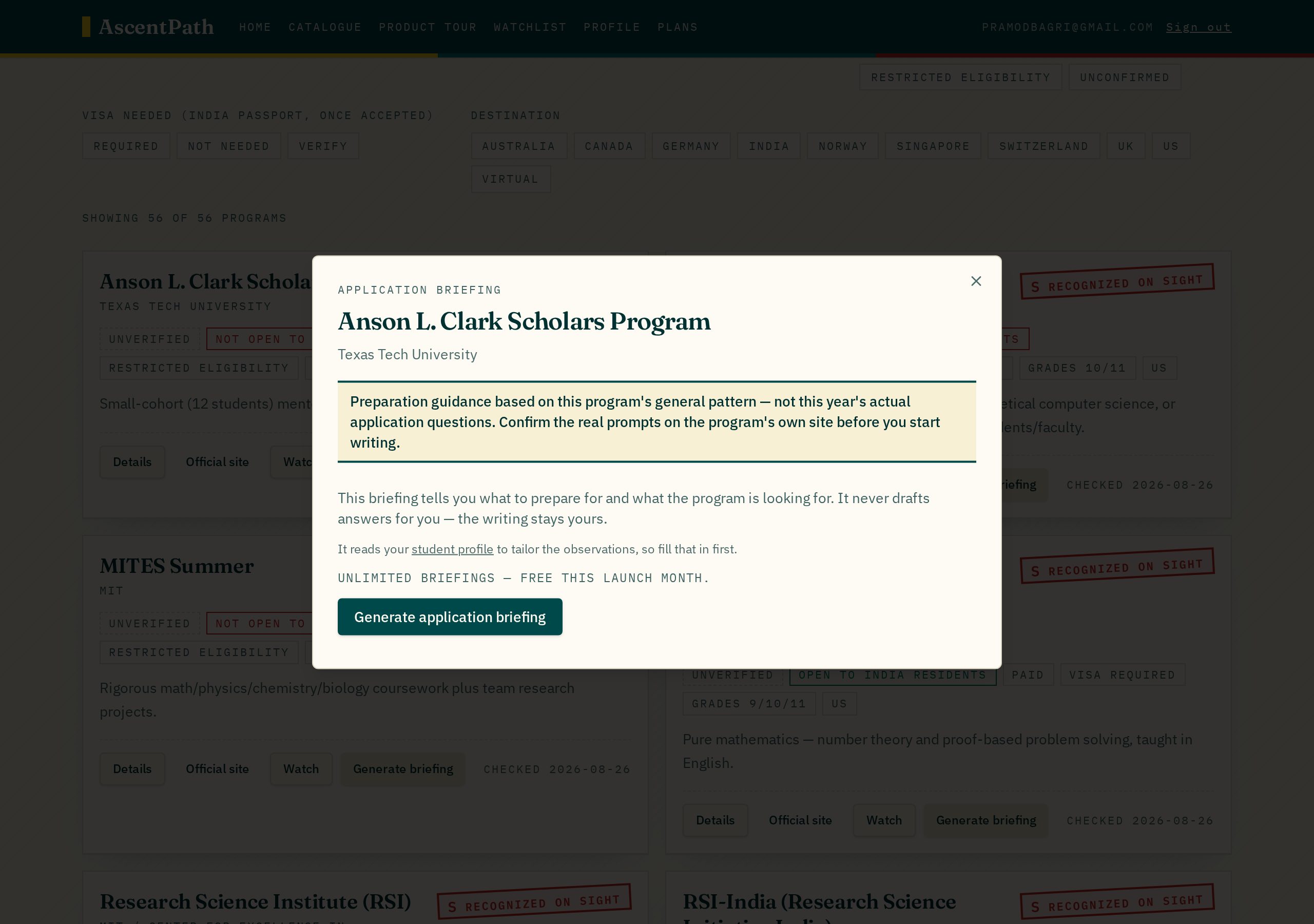
The catalogue
Every program wears its verdict on its sleeve.
One card per program: the tier stamp on the right is the admissions verdict, and the chips underneath answer eligibility, funding, visa and grade fit before you click anything. The date at the bottom is when we last re-checked the listing — not when we first added it.
- ▪S / A / B / C stamp — how much weight the program actually carries
- ▪Open to <your country> residents — can you even apply
- ▪Fully funded / Paid — what it costs before travel
- ▪Checked <date> — freshness, re-verified on a schedule
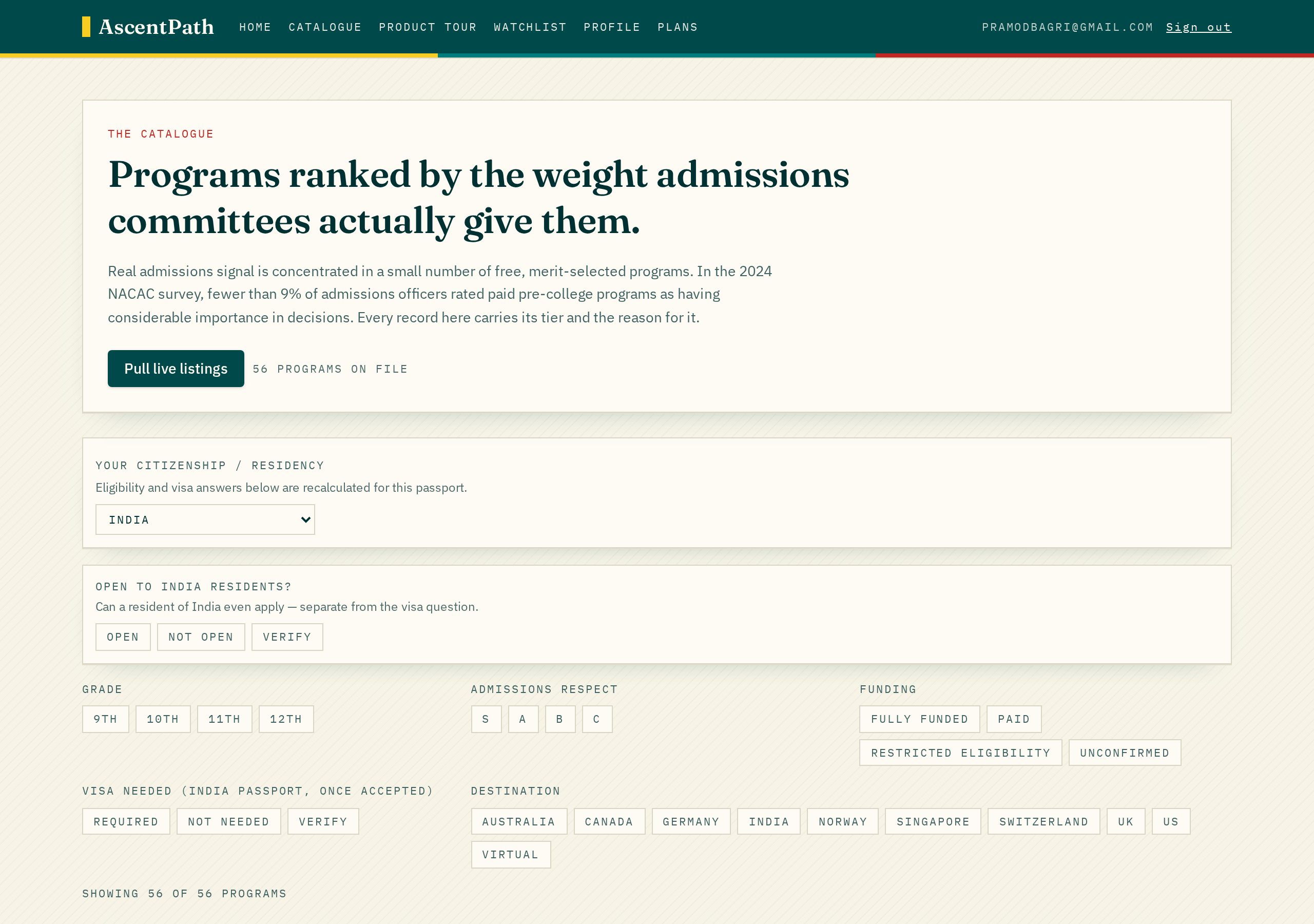
Passport-aware filters
Set your citizenship once. The whole page rewrites itself.
Filters are clickable and stackable — no dropdown archaeology. Grade and 'open to residents of your country' stay free forever. Tier, funding, visa and destination are Plus features, waived during the launch offer. Notice the visa group renames itself to your passport.
- ▪Grade 9–12 and eligibility: free on every plan
- ▪Tier, funding, visa, destination: Plus filters
- ▪Counter shows how many of the 56 records survive your filters
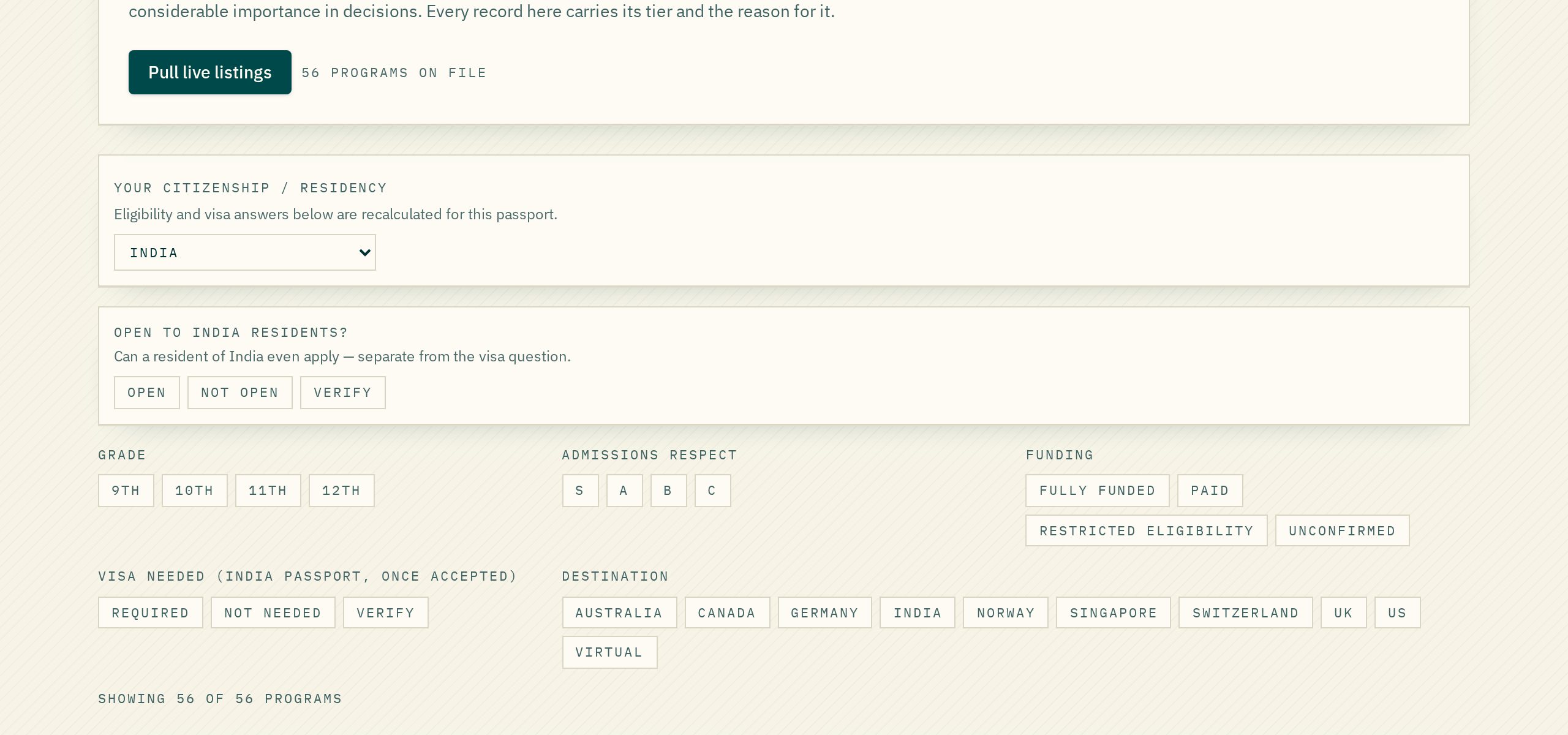
US university scholarships
Funding read against your own passport.
A separate desk for US university aid and external fellowships: need-based packages that meet full cost, named merit awards and portable fellowships. Set your nationality and every card recalculates whether you may apply at all, then shows what the award actually covers, how selective the band is, and the official page it was read from.
- ▪Open to <your country> nationals — or plainly Not Mentioned
- ▪S / A / B / C band with a one-line 'why this band'
- ▪Full cost / near-full / partial coverage, renewable or single award
- ▪Requirements, deadline pattern and source link under Details
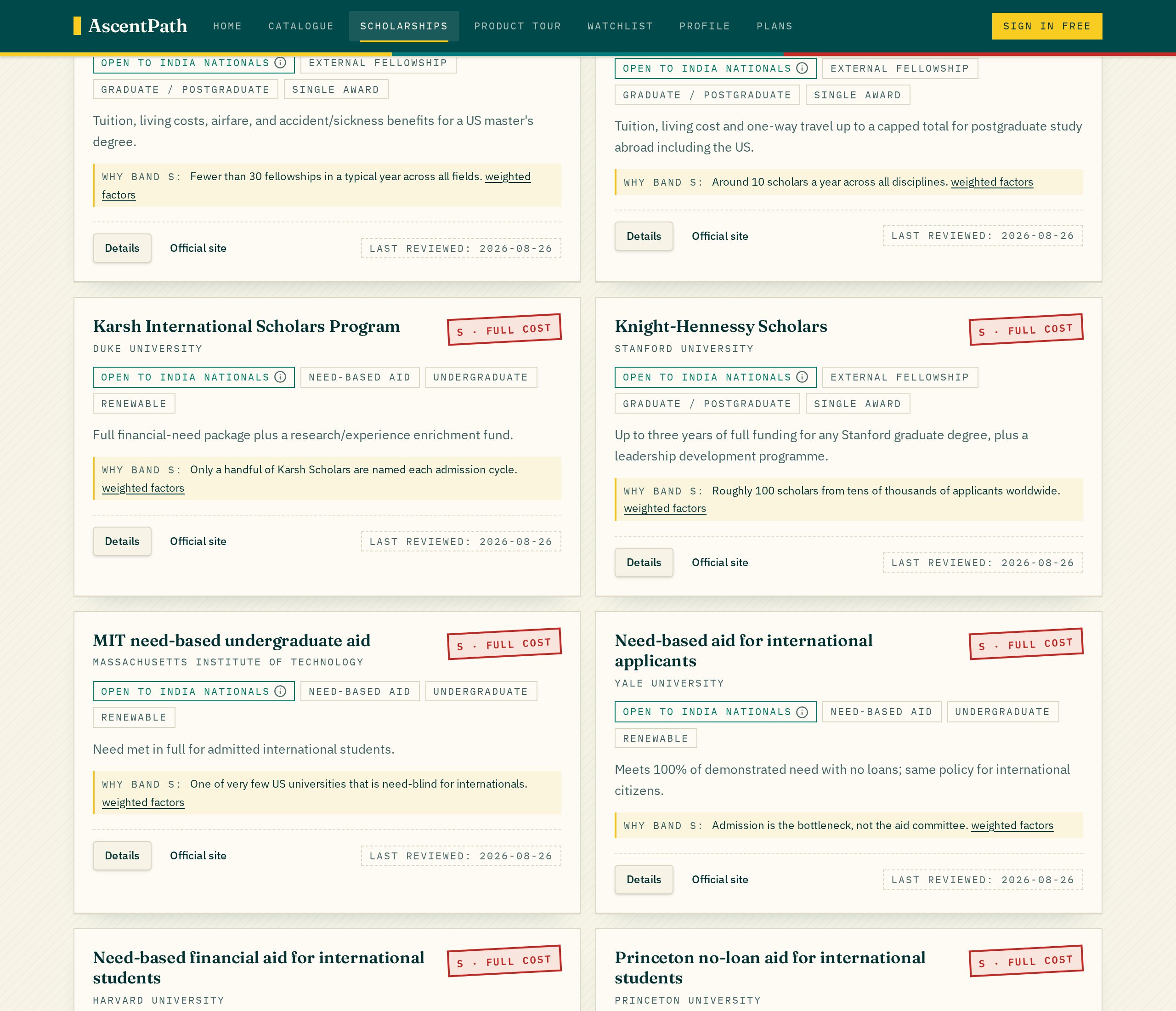
Application briefings
It prepares you to answer in your own words.
A briefing reads the program and your profile, then tells you what kinds of questions to expect, what the program appears to select for, and where your profile is thin. The banner at the top is permanent: these are patterns, not this year's live prompts. Nothing here drafts an essay.
- ▪Question types you should rehearse
- ▪What the program selects for, in plain sentences
- ▪Observations relative to your own profile
- ▪Word export for offline prep (Plus)
Profile and AI autofill
Drop a résumé, keep the edits.
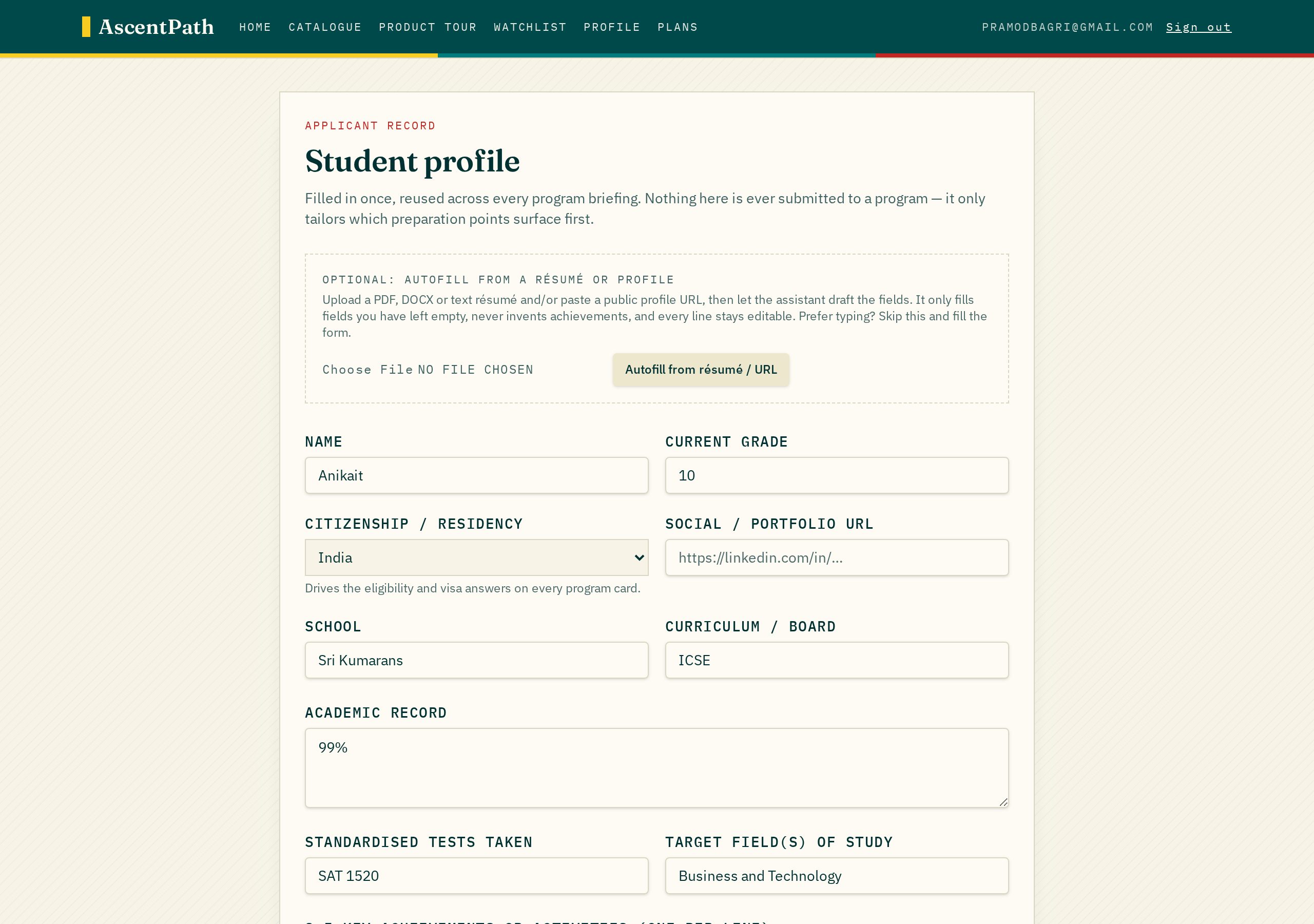
Paste a social or portfolio URL and upload a résumé; the AI fills only the blanks and you edit every field afterwards. Citizenship drives eligibility across the catalogue and the scholarship desk alike. Students in the EU, EEA and UK get the GDPR declarations here, and can withdraw consent or delete the profile outright.
- ▪Citizenship, grade, interests, achievements
- ▪Résumé parsing runs in your browser before anything is sent
- ▪Explicit consent for data and AI processing, revocable
Plans
Priced honestly, free this month.
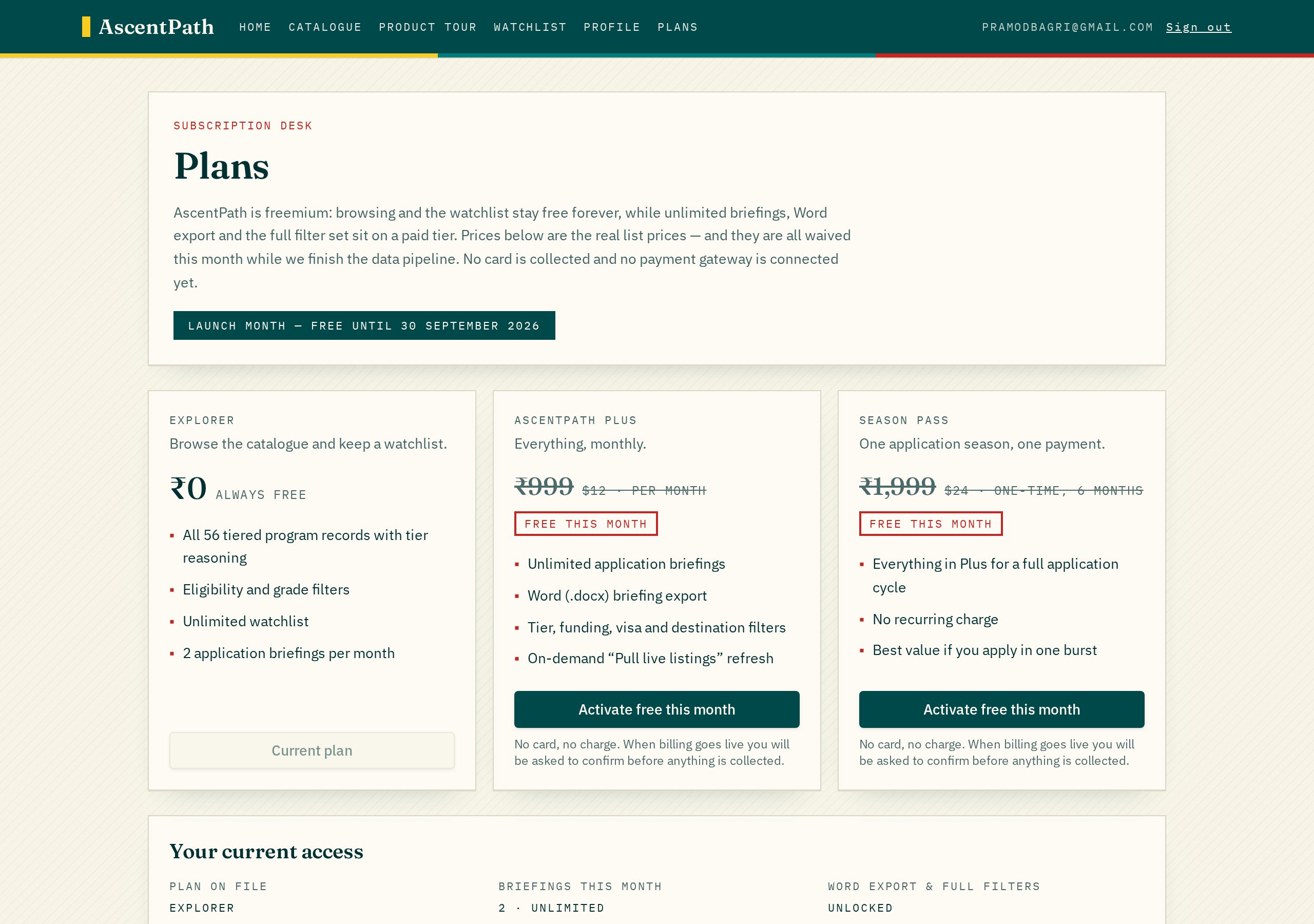
Explorer stays free: full catalogue, free filters, watchlist and a couple of briefings a month. Plus unlocks unlimited briefings, Word export, premium filters and live refresh. Every price on the page is struck through for the launch offer — no card, no gateway, nothing to cancel.
- ▪Explorer ₹0 — browse, watchlist, limited briefings
- ▪Plus ₹999 / month — unlimited briefings and premium filters
- ▪Season Pass ₹1,999 — one application cycle
That is the whole product. No demo call, no sales deck.
Browsing is free and always will be. Create an account only when you want watchlists and briefings.